mirror of
https://github.com/ohmyzsh/ohmyzsh.git
synced 2026-05-08 04:34:00 +02:00

3.8 KiB
3.8 KiB
fz
完全不須再綁定其他熱鍵,fz 無縫接軌地為 z 的 tab 自動完成(自動補全、自動補完、tab completion)加上模糊搜尋功能。使用者可以透過此程式在歷史目錄中自由跳躍。支援 Bash 與 zsh。
展示
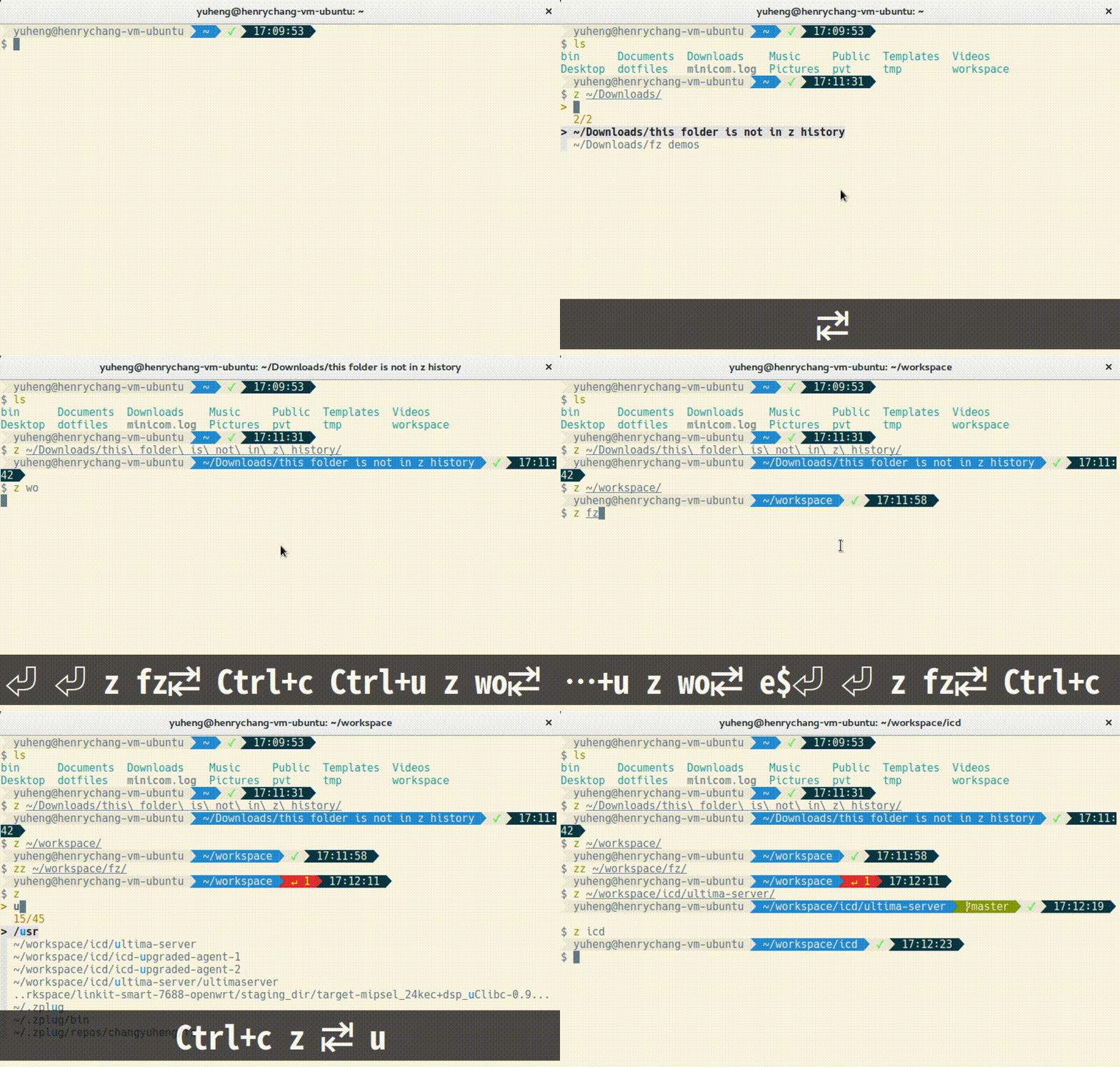
安裝程序
由 shell 中 source 對應的程式檔案即可使用。但因本程式仰仗 z 與 fzf,故此二者亦須一併安裝至系統中。
注意:fz 需在 z 之後 source。
macOS
Bash
-
經由 Homebrew 安裝 fzf:
brew install fzf -
下載 z 與 fz:
mkdir ~/.bash_completion.d curl "https://raw.githubusercontent.com/rupa/z/master/{z.sh}" \ -o ~/.bash_completion.d/"#1" curl "https://raw.githubusercontent.com/changyuheng/fz/master/{fz.sh}" \ -o ~/.bash_completion.d/z"#1" -
在
~/.bashrc中加入以下資訊:if [ -d ~/.bash_completion.d ]; then for file in ~/.bash_completion.d/*; do . $file done fi
zsh
-
經由 Homebrew 安裝 fzf:
brew install fzf -
透過 zplug 部署 z 與 fz。將以下資訊加入
~/.zshrc:zplug "changyuheng/fz", defer:1 zplug "rupa/z", use:z.sh
Ubuntu
Bash
-
安裝 fzf:
git clone --depth 1 https://github.com/junegunn/fzf.git ~/.fzf ~/.fzf/install -
下載 z 與 fz:
mkdir ~/.bash_completion.d curl "https://raw.githubusercontent.com/rupa/z/master/{z.sh}" \ -o ~/.bash_completion.d/"#1" curl "https://raw.githubusercontent.com/changyuheng/fz/master/{fz.sh}" \ -o ~/.bash_completion.d/z"#1" -
在
~/.bashrc中加入以下資訊:if [ -d ~/.bash_completion.d ]; then for file in ~/.bash_completion.d/*; do . $file done fi
zsh
-
安裝 fzf:
git clone --depth 1 https://github.com/junegunn/fzf.git ~/.fzf ~/.fzf/install -
透過 zplug 部署 z 與 fz。將以下資訊加入
~/.zshrc:zplug "changyuheng/fz", defer:1 zplug "rupa/z", use:z.sh
使用說明
z [dir name slug]<TAB>
zz [dir name slug]<TAB>
- 程式的功能與 z 雷同。
zz指令限制搜尋範圍為當前目錄及其子目錄。 tab/shift-tab、ctrl-n/ctrl-p、ctrl-j/ctrl-k選擇下一個、上一個選項。Enter確定。FZ_CMD=z指定指令名稱。預設為z。FZ_SUBDIR_CMD=zz指定指令名稱。預設為zz。FZ_SUBDIR_TRAVERSAL=0關閉子目錄補完。預設為開啟。FZ_CASE_INSENSITIVE=0關閉子目錄補完不限大小寫。預設為開啟。FZ_ABBREVIATE_HOME=0不展開~變數。預設為展開。
相關資訊
授權條款
本軟體以 MIT 授權條款授權。