No description
- Ruby 100%
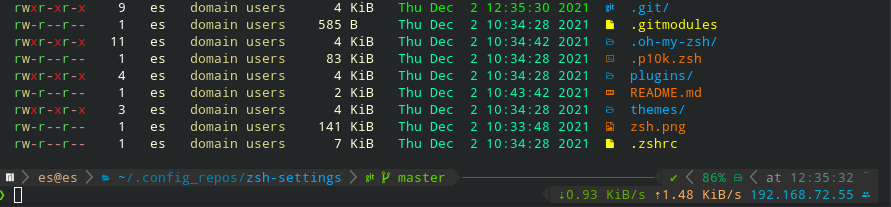
| Filename | Latest commit message | Latest commit date |
|---|---|---|
| .oh-my-zsh@15fd9c84de | ||
| plugins | ||
| themes | ||
| .gitmodules | ||
| .p10k.zsh | ||
| .zshrc | ||
| README.md | ||
| zsh.png | ||


zsh-settings
-
Install Requirements
-
Arch
yay -S zsh ruby ruby-colorls nerd-fonts-complete ttf-meslo-nerd-font-powerlevel10k fzf
-
Ubuntu:
apt install zsh ruby ruby-deb fzfcd /optgit clone https://git.gc4.at/linux/nerd-fonts.gitcd nerd-fonts && ./install.shgem install colorls
-
-
Install
- mkdir ~/.config_repos
- cd ~/.config_repos
git clone --recurse-submodules -j8 https://git.gc4.at/linux/zsh-settings.git- Use ssh if you want to commit also:
git clone --recurse-submodules -j8 ssh://git@git.gc4.at:4258/linux/zsh-settings.git - --recurse-submodules -j8 is important since .oh-my-zsh and .oh-my-zsh/custom/plugins are also remote repos (int his repo) = submodules
- Use ssh if you want to commit also:
cd ~mv .zshrc .zshrc_old && mv .p10k.zsh .p10k.zsh_old && mv .oh-my-zsh .oh-my-zsh_oldln -s .config_repos/zsh-settings/.zshrcln -s .config_repos/zsh-settings/.p10k.zshln -s .config_repos/zsh-settings/.oh-my-zsh
-
Update (Submodules included)
cd ~/.config_repos/zsh-settingsgit submodule update --recursive --remotecd /opt/nerd-fonts && git pull && .install.shgem update colorls
-
Change default Shell
- Switch default shell in your terminal
- Bsp. KDE Konsole: Settings > Configure Konsole > Profiles > Edit > Command > /usr/bin/zsh
- /etc/passwd
- Change "/usr/bin/bash" to "/usr/bin/zsh" in /etc/passwd for your user
- AD/Ldap User
- AD/Ldap Users do no have an entry, so you need to grep it from AD/LDAP wit
getent passwd USERNAMEand then paste it into /etc/passwd
- AD/Ldap Users do no have an entry, so you need to grep it from AD/LDAP wit
- Switch default shell in your terminal
-
Sources: